
Big on orders. Small on counters.

The EM SCO-C is a complete self-ordering paypoint that sits on the counter you already have. A 21.5" touchscreen, integrated scanner and receipt printer — with your own payment terminal alongside. Customers order and pay while your team makes the food.


What is EM SCO-C?

A complete paypoint that sits on the counter you already have.

The EM SCO-C is GaP Solutions' self-ordering paypoint for quick service — a 21.5" portrait touchscreen with an integrated barcode scanner and thermal receipt printer, and your own payment terminal mounted on a SpacePole arm beside it.

Customers browse the full menu, order at their own pace, pay by card and take a printed docket. Paid orders route straight to your kitchen printer or display. It runs EM Pos™ — the same software as your tills — and reports into EM Cloud™ alongside counter sales, so the day reconciles as one set of numbers.

No pedestal eating your floor space. No tablet in a frame. No forced change of acquirer.
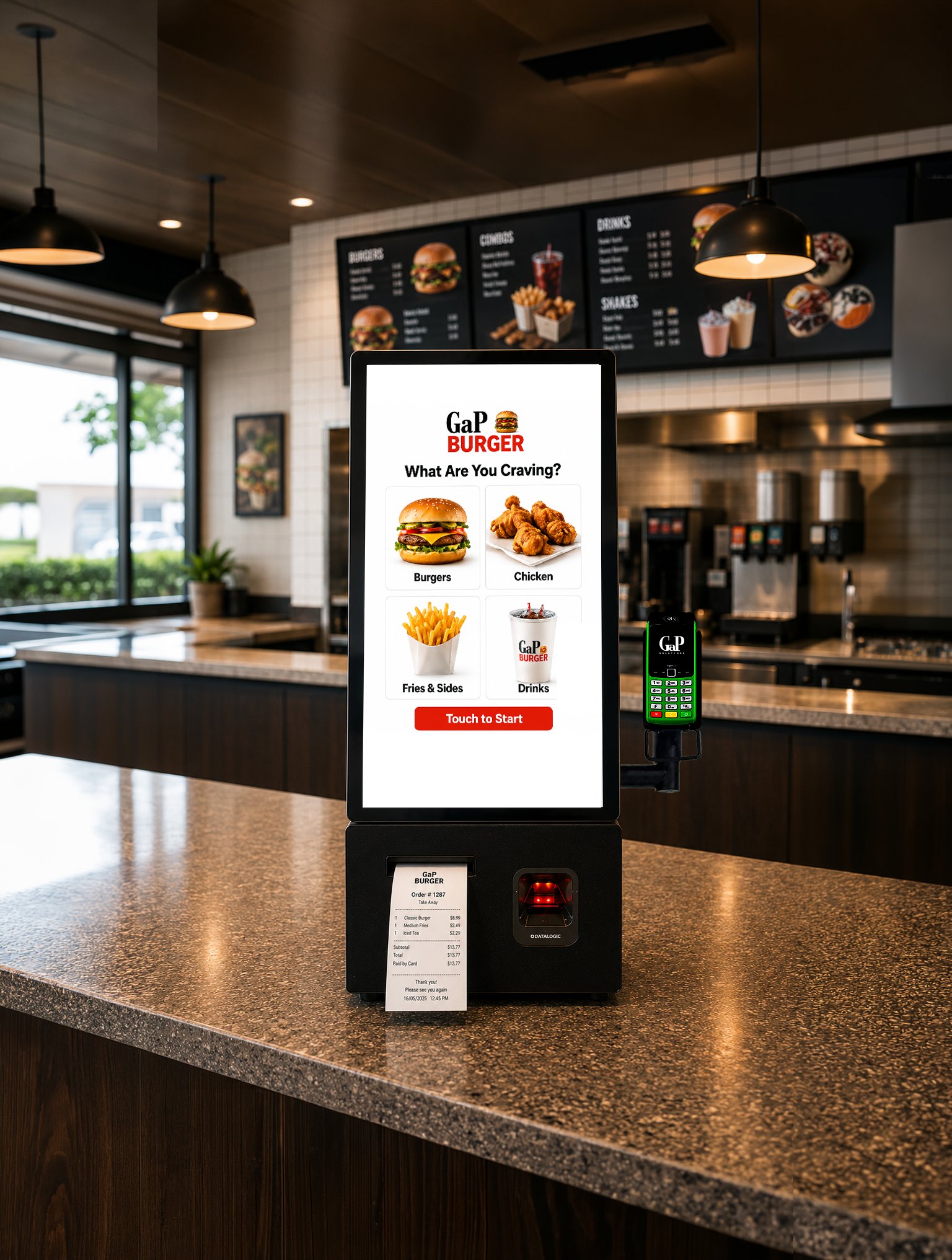
EM SCO-C self-ordering kiosk on a quick service counter, printing a customer receipt
15–25%
Lift in average transaction value
1 in 3
In-store orders via kiosk at a major AU QSR
2 in 3
Australians prefer self-service when in a hurry
94%
Of in-person card payments already contactless
The business case

Five ways it pays for itself

In quick service the counter is the bottleneck: one team member taking orders is one team member not preparing them.

1. Take more orders at peak

The lunch rush doesn't wait for the counter. A self-ordering paypoint takes orders in parallel with your staffed till — more orders per hour from the same counter and the same team.

2. Bigger average orders

Kiosk ordering consistently lifts average transaction value by 15–25% in quick service. Customers browse the full menu rather than the first thing they think of, and add the extras they'd skip with a queue behind them.

3. Put your team where the food is

Every order the kiosk takes is staff time returned to preparation, quality and service. In a tight labour market, that's capacity you don't have to hire for.

4. Orders arrive right first time

Customers key their own choices and modifications. No mishears at a noisy counter, no re-makes, no refunds for wrong orders.

5. Fits the counter you already have

A compact footprint that sits on the counter or mounts to the wall. No pedestal, no floor space lost, no shopfitting required.

Hardware

Everything a paypoint needs. Nothing it doesn't.

21.5" Portrait Touchscreen

Large, responsive and readable across the counter. Guides customers from menu to payment to receipt in a clear, step-by-step flow. 1920×1080, PCAP 10-point multi-touch.

Built-in Thermal Receipt Printer

Order numbers and receipts print on the spot — fast, quiet, no ink cartridges. Customers take their docket and step aside; the queue keeps moving.

Integrated 1D/2D Scanner

Commercial scanner built into the body. Scans packaged items, loyalty cards and voucher codes — including barcodes shown on a customer's phone screen.

Your Terminal, Your Acquirer

The pinpad mounts on a SpacePole arm at the side of the unit — not sealed inside it. Keep your existing bank and payment provider.

Commercial-Grade Build

A purpose-built retail unit designed for continuous trade — not consumer hardware adapted for the job. Intel® Core™ i3 or i5, Windows 11.

RGB LED Status Indicator

At-a-glance lane status your team can read from across the shop floor — ready, in use, or needing attention.

No locked-in payments

Keep your bank. Keep your rates.

Most sealed kiosks bundle the payment terminal inside the unit — which means changing kiosks means changing acquirer, and your merchant rates come as part of someone else's package.

The EM SCO-C doesn't work that way. Your pinpad mounts externally on a SpacePole arm, positioned at the right height and angle for customers to reach, and easy for your team to keep clean and serviceable.
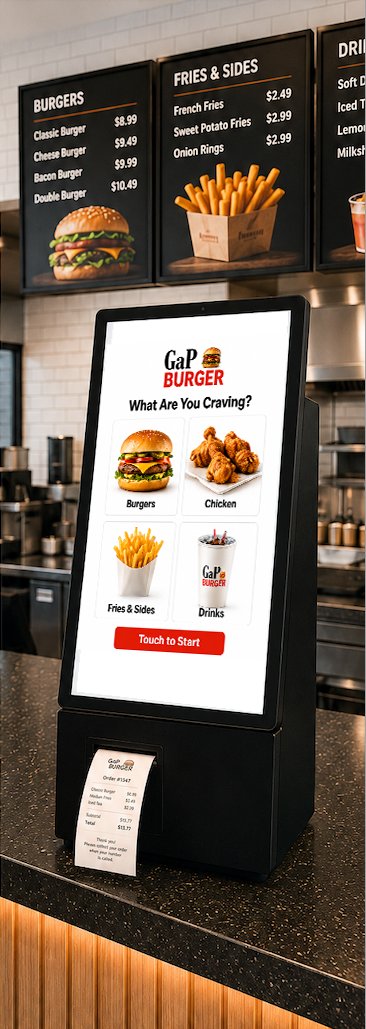
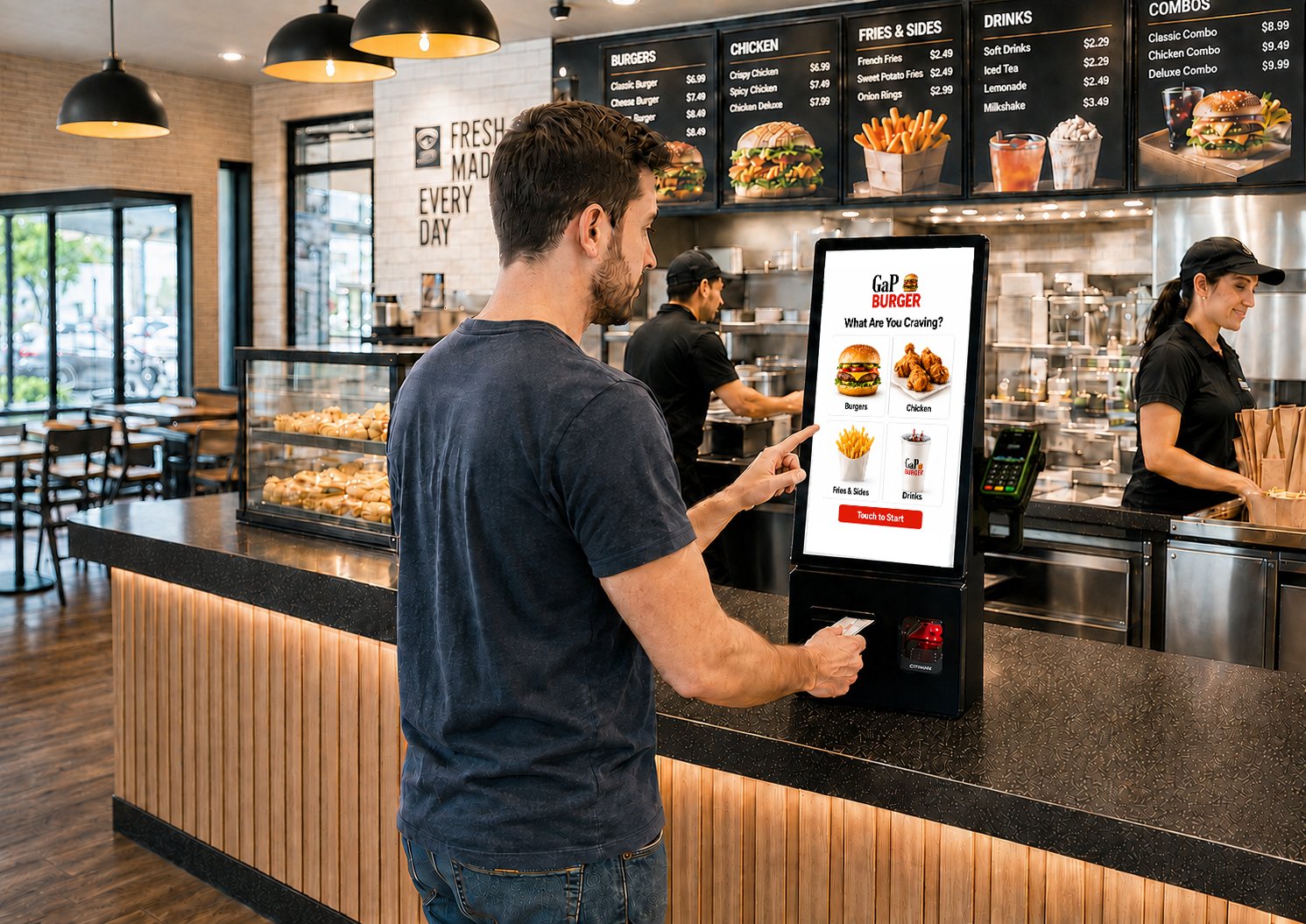
  • Keep your existing bank and payment provider
  • Swap or upgrade the pinpad without touching the kiosk
  • No forced change of acquirer, ever
  • No locked-in payment ecosystem
EM SCO-C kiosk showing the integrated thermal receipt printer and barcode scanner
Customer paying by contactless card at an EM SCO-C kiosk during peak trade
EM Pos™ & EM Cloud™

Self-ordering that runs on your POS, not beside it.

The EM SCO-C runs EM Pos™ — the same software as your tills. Menus, prices, promotions and product changes flow from one place, so the kiosk is never out of step with the counter.

  • Menu built for food service — full browsing with photos and categories, laid out the way customers actually choose
  • Straight to the kitchen — paid orders route directly to your kitchen printer or display; no rekeying, no lost dockets
  • One view of the day — EM Cloud™ shows kiosk and counter sales side by side, from any device
  • Grows with the ecosystem — Ezi Rewards loyalty, online ordering and multi-site reporting are part of the same connected environment

The kiosk isn't a separate island of sales data. It shares stock, pricing and reporting with your POS and back office.

Specifications

Technical specifications

ComponentSpecification
Display21.5" portrait, 1920 × 1080 (16:9), PCAP 10-point multi-touch
ProcessorIntel® Core™ i3-1215U / i5-1235U
Operating SystemWindows 11
Memory4GB / 8GB / 16GB DDR4
StorageM.2 SATA / PCI-E — 128GB / 256GB / 512GB
ScannerIntegrated 1D/2D barcode scanner, with mobile screen scanning
PrinterBuilt-in thermal receipt printer
Payment MountSpacePole SCO arm (pinpad supplied to suit your acquirer)
Connectivity10/100/1000 Mb Ethernet, Wi-Fi
Audio2 × internal 5W speakers
CameraCustomer-facing camera
IndicatorRGB LED status indicator
Dimensions300+160 (incl. pinpad arm) × 180 × 760 mm (W × D × H)
Weight24kg
Operating Conditions0°C – 40°C, 20% – 90% RH
MountingCounter mount (beside the till or a dedicated order point) or wall mount (zero counter space)
One accountable partner

One partner. Not three vendors.

A kiosk is only as good as what's behind it. Assemble a tablet, an ordering app and a payment provider from different vendors and you inherit three support numbers, three contracts, and the gaps between all of them.

The EM SCO-C comes as one accountable solution — hardware, EM Pos™ software, payments integration, installation, staff training and a 24/7 help desk — from one Australian retail technology partner with more than three decades behind the counter.
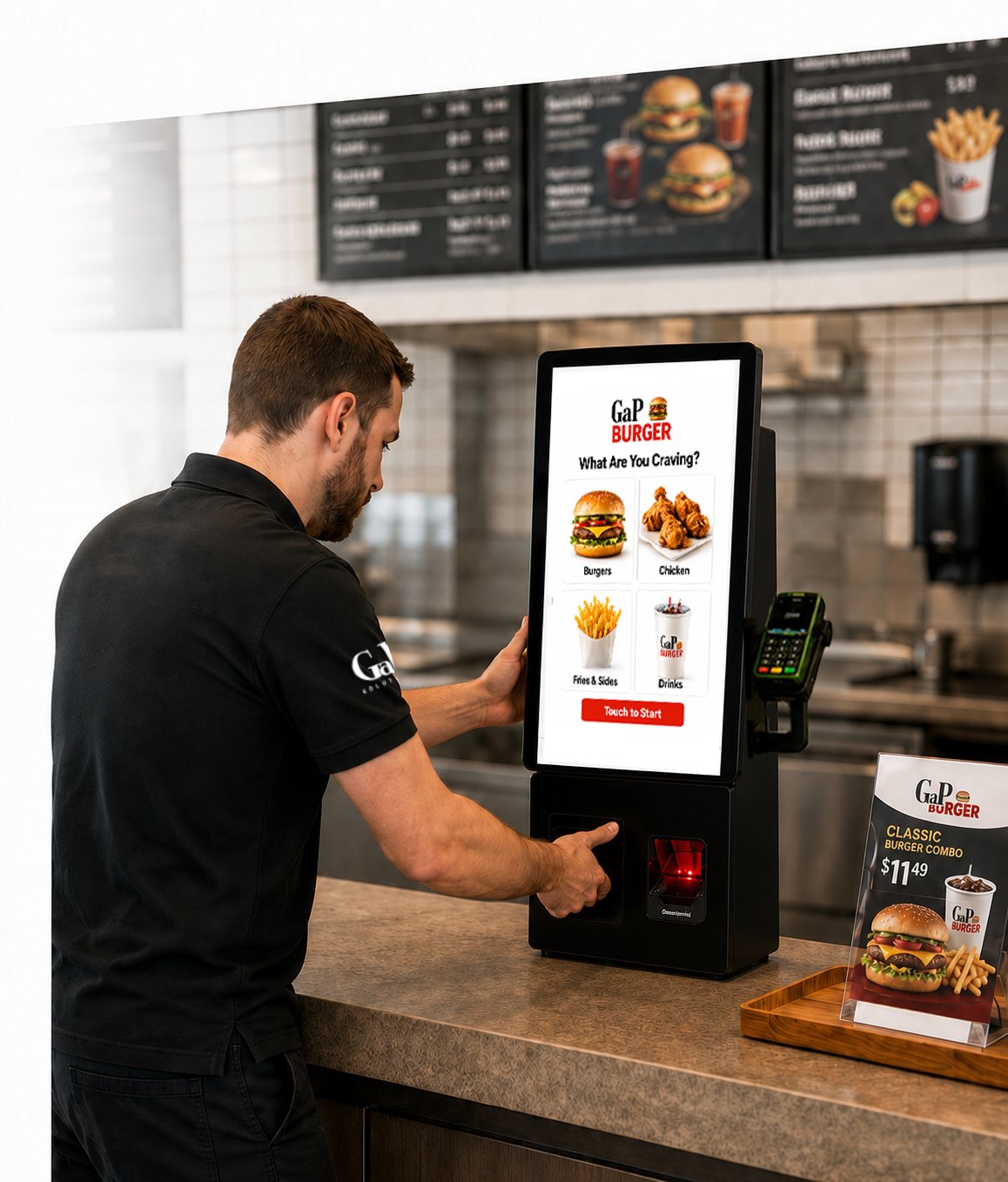
  • Implementation and installation
  • Staff training
  • 24/7 help desk
  • Technical service across Australia & New Zealand
GaP Solutions team member demonstrating the EM SCO-C self-ordering kiosk
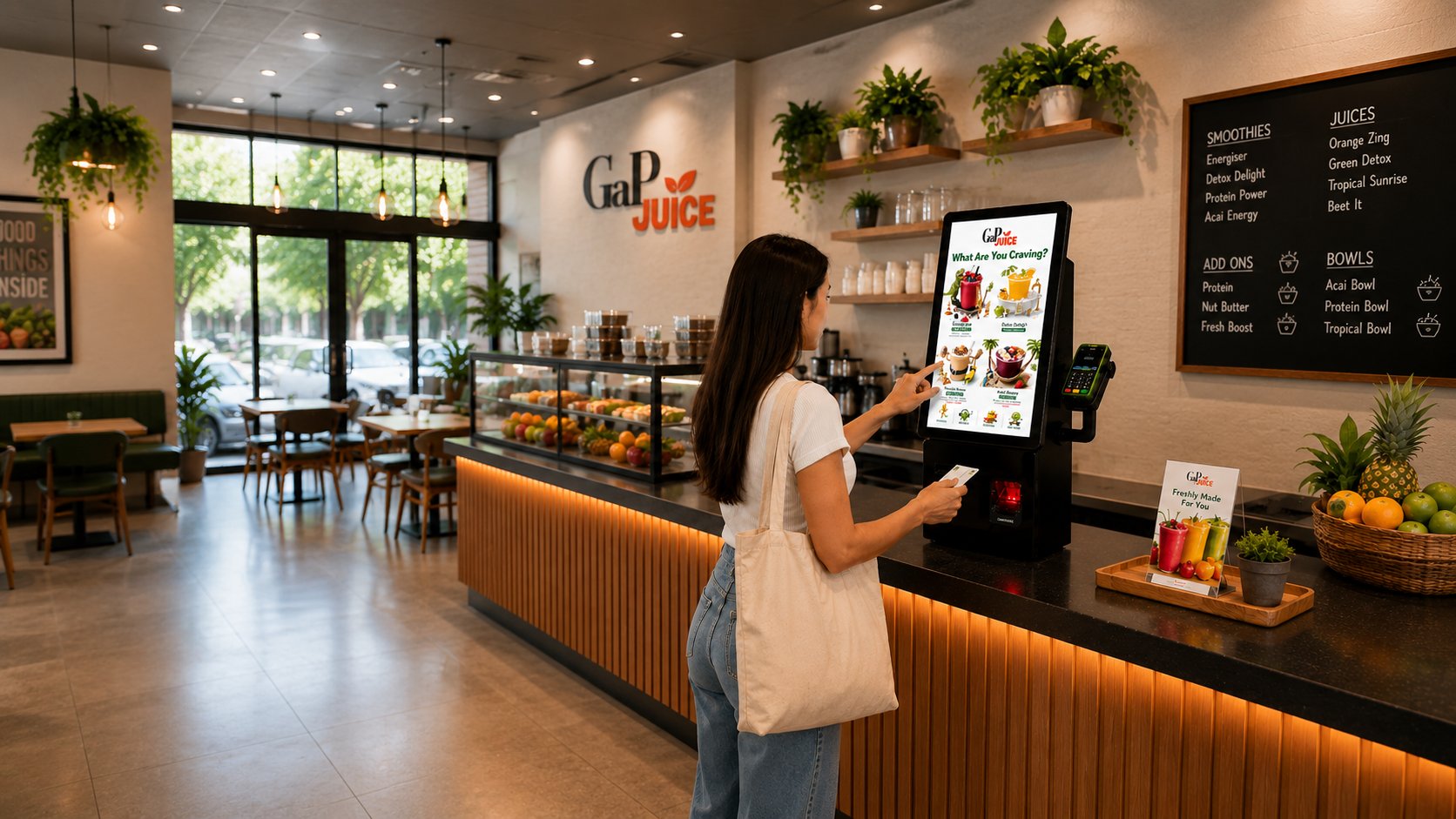
EM SCO-C self-ordering kiosk in a juice and smoothie bar

Built for anywhere the counter is the bottleneck

Quick service is where the EM SCO-C earns its keep, but any counter that takes orders and payments can put one to work — from burger shops to juice bars to food court tenancies where floor space is at a premium.

Quick Service Burger & Chicken Juice & Smoothie Bars Cafés Food Courts Bakeries Order-Ahead Pickup Convenience

Frequently asked questions

What is the EM SCO-C? +
The EM SCO-C is GaP Solutions' self-ordering paypoint for quick service and food retail. It combines a 21.5" portrait touchscreen, an integrated 1D/2D barcode scanner and a built-in thermal receipt printer in a compact counter-mounted unit, with your payment terminal mounted alongside on a SpacePole arm. It runs EM Pos™ software and connects to EM Cloud™, so kiosk orders share live sales, stock and reporting with your counter POS.
Do I have to change my bank or payment provider? +
No. Unlike sealed kiosks that bundle the terminal inside the unit, the EM SCO-C mounts your pinpad externally on a SpacePole arm. You keep your existing bank, acquirer and merchant rates. The pinpad can also be swapped or upgraded later without touching the kiosk, so you're never locked into one payment ecosystem.
How much floor space does it need? +
None. The EM SCO-C sits on the counter you already have — 300mm wide (plus 160mm for the pinpad arm), 180mm deep and 760mm tall, weighing 24kg. There's no pedestal and no shopfitting required. A wall-mount option is also available for tight shopfronts, food courts and order-ahead pickup points, which uses zero counter space.
Where do kiosk orders go? +
Paid orders route directly to your kitchen printer or kitchen display — no rekeying by staff and no lost dockets. Because the kiosk runs EM Pos™, the same software as your tills, orders land in the same live environment as counter sales. EM Cloud™ then reports kiosk and counter transactions, products and peaks side by side from any device.
Will it actually increase sales? +
Kiosk ordering consistently lifts average transaction value by 15–25% in quick service. Customers order at their own pace, browse the full menu rather than the first thing they think of, and add extras they'd skip if there were a queue behind them. At one of Australia's largest QSR chains, kiosks now take more than a third of in-store orders. Two in three Australian consumers say they prefer self-service when they're in a hurry.
Can it scan loyalty cards and phone barcodes? +
Yes. The EM SCO-C has a commercial 1D/2D scanner built into the body, which reads packaged items, loyalty cards and voucher codes — including barcodes displayed on a customer's phone screen. Loyalty through Ezi Rewards, online ordering integrations and multi-site reporting are all part of the same connected EM environment when you're ready for them.
What support comes with it? +
The EM SCO-C is supplied as one accountable solution: hardware, EM Pos™ software, payments integration, installation, staff training and a 24/7 help desk — all from GaP Solutions, with technical service across Australia and New Zealand. You deal with one partner rather than separate hardware, software and payments vendors.
Download the EM SCO-C brochure (PDF)

Put a paypoint on your counter

More orders. Bigger baskets. Faster service. Talk to GaP Solutions about the right configuration for your counter and your trade.

Request a demo

Request a demo

See the EM SCO-C in action — menu flow, payment, kitchen routing and EM Cloud™ reporting, walked through for your setup.