
Run the store from the aisle.

EM Omnia is GaP Solutions' Android-based handheld device and software for retailers. Fully integrated with EM Cloud™, it gives your team everything they need to order, receive, stocktake, and manage inventory without leaving the floor.


What is EM Omnia?

EM Omnia is GaP Solutions' Android handheld retail management device — a portable data entry (PDE) unit that puts your store's stock, ordering and pricing tools in your team's hands on the shop floor.

It connects directly to EM Cloud™ and EM POS™, so staff can scan an item at the shelf and see product details, current and promotional pricing, sales history, order quantities and average weekly sales — then act on it without walking back to the office. Stocktakes, receiving, orders, markdowns, price checks, shelf location maintenance, dump stock and store transfers all happen at the point where the decision is made.

Formerly known as Ezi Omnia.

The whole store, in one hand

Scan any item and EM Omnia shows your team what they need to make the call on the spot.
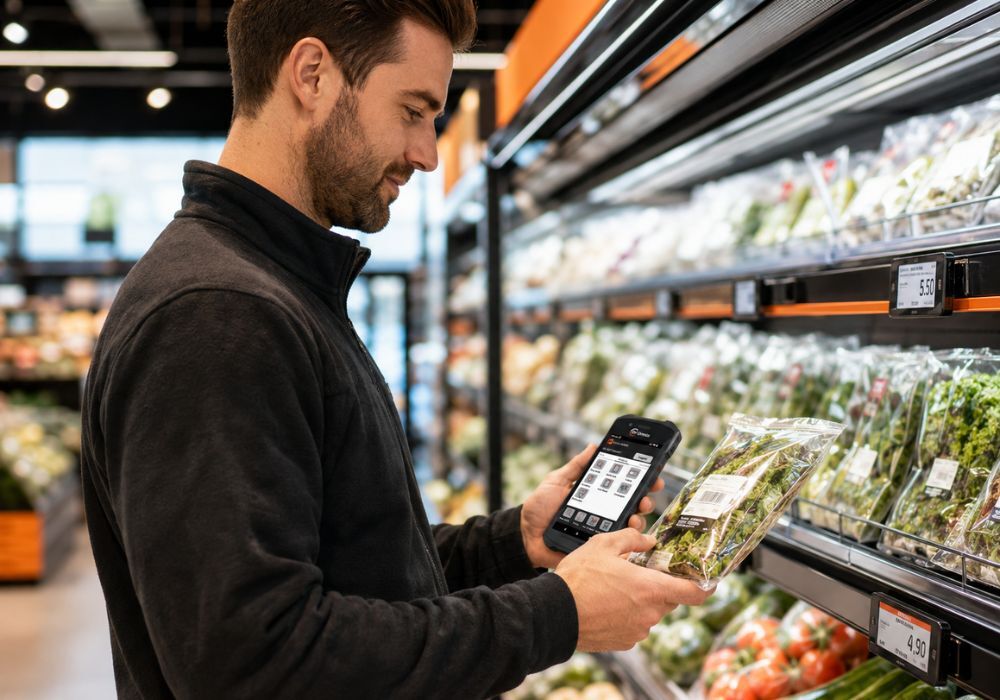
  • Product details — description, barcode, pack size and department, straight from EM Cloud™
  • Promotions — current and upcoming promotional pricing on the item in front of you
  • Sales history — how the item has actually moved, not how you think it has
  • Order quantities — what is on order and what is outstanding
  • Average weekly sales — the number that drives sensible order decisions
Retail staff member scanning a shelf product with an EM Omnia Android handheld device in a supermarket aisle
Functions

Everything your team does on the floor

Eleven built-in functions, all writing back to EM Cloud™ in real time.

Stocktake

Scan, enter the count and send. Recall and review items already counted at any point during the count.

Out of Stock

Creates a new stocktake that sets scanned items and their stock on hand to zero — a fast way to clear phantom stock off the system.

Receiving

Receive items against an existing order and update stock levels as the delivery is checked in.

Orders

Check order information at the shelf and make the ordering decision there. Back-to-back ordering tracks what is already outstanding so you do not double up.

Auto Order Setup

Calculates suggested order quantities from stock on hand, minimum presentation levels and average weekly sales.

Price Verification

Check selling price, promotional price and cost price on any item, and make adjustments where they are needed.

Markdowns

Apply a percentage or dollar reduction and print a label with all the relevant data embedded in the barcode.

Location Maintenance

View and update shelf location, facings, shelf labels and talker quantities as the planogram changes.

Dump Stock

Record shrinkage on items disposed of or used in store, so waste is measured instead of guessed.

Transfer

View orders transferred between stores or warehouses across a multi-site group.

Utilities

Device settings and per-user preferences, so each team member's handheld behaves the way they work.

Works with EM Expiration Date Management

EM Expiration Date Management tracks use-by dates across your fresh departments and flags items before they spoil. EM Omnia is how your team acts on those alerts.

  • Receive close-to-expiration alerts on the handheld, department by department
  • Apply the markdown at the shelf and print a 2D barcode markdown label on the spot
  • Point-of-sale blocks the sale of items that have reached their use-by date
  • Electronic shelf labels give the visual prompt so staff walk straight to the item

Waste you can see

Dump Stock on the handheld records what actually got thrown out, so markdown timing is a decision based on your own numbers rather than a feeling about the fresh case.
Works with EM ESL electronic shelf labels

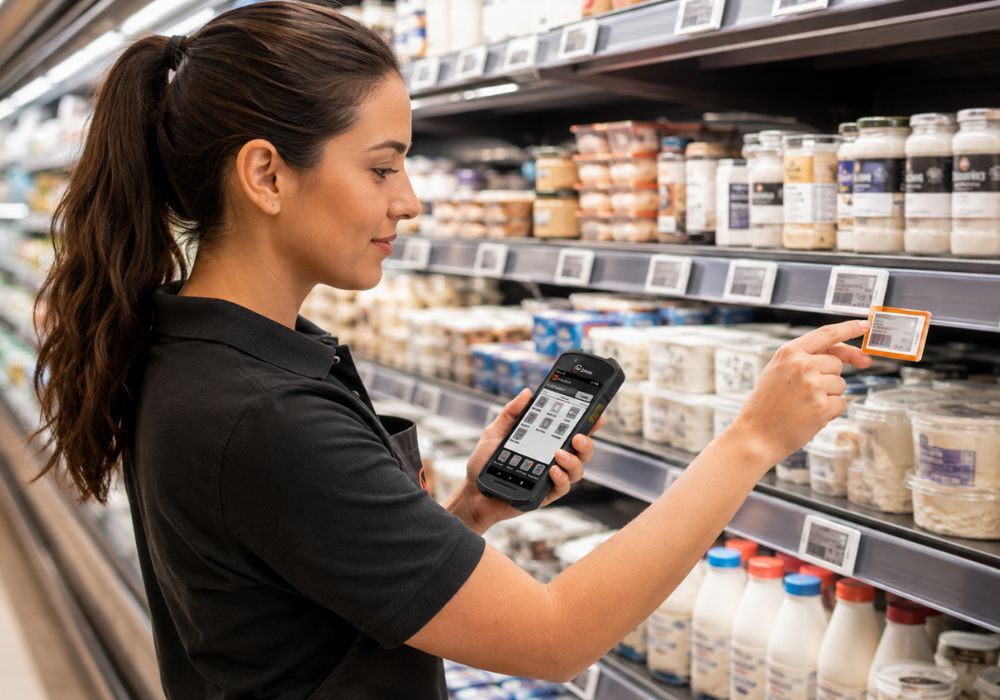
EM Omnia handheld device triggering the LED indicator on an EM ESL electronic shelf label during shelf replenishment
  • Stock to Light — flash the LED on a shelf tag from the handheld so staff are guided straight to the location that needs replenishing, instead of walking the aisle looking for it
  • Price updates from the floor — push a price change through the EM Omnia handheld or from the back-office point of sale in a few clicks
  • Shelf and register in step — the label and the till read from the same EM Cloud™ price, so what the customer sees is what they are charged

Built for the shop floor

EM Omnia runs on rugged Android handhelds designed for retail use, supported by GaP Solutions' own service and repair team.

Android operating system Rugged handheld form factor Integrated 2D barcode scanning Zebra mobile computers Mobile label printers Desktop label printers Wi-Fi connected to EM Cloud™ Multi-user with individual preferences

Hardware options are configured to your store. Talk to us about the right device mix for your departments.

Who it's for

Independent supermarkets · grocery stores · fresh food departments · liquor stores · convenience and fuel sites · any store where ordering, counting and pricing happen away from the office.

Single store or multi-store. Works with EM Cloud™ and EM POS™.

Frequently asked questions

What is EM Omnia? +
EM Omnia is GaP Solutions' Android handheld retail management device — a portable data entry (PDE) unit that connects to EM Cloud and EM POS. Staff scan an item on the shop floor and can see product details, current and promotional pricing, sales history, order quantities and average weekly sales, then act on it without returning to the office. It was formerly known as Ezi Omnia.
What can staff do with EM Omnia on the shop floor? +
EM Omnia has eleven built-in functions: Stocktake, Out of Stock, Receiving, Orders, Auto Order Setup, Price Verification, Markdowns, Location Maintenance, Dump Stock, Transfer and Utilities. Each writes back to EM Cloud, so counts, receipts, price changes and markdowns update your system as they happen.
Does EM Omnia work with electronic shelf labels? +
Yes. With EM ESL electronic shelf labels, EM Omnia can trigger Stock to Light — flashing the LED on a shelf tag so staff are guided straight to the location that needs replenishing. Price updates can also be pushed from the handheld or from the back-office point of sale.
How does EM Omnia help reduce fresh food waste? +
With EM Expiration Date Management, close-to-expiration alerts reach the handheld department by department. Staff apply the markdown at the shelf and print a 2D barcode markdown label on the spot, while point of sale blocks the sale of items past their use-by date. The Dump Stock function records what was actually disposed of, so markdown timing can be based on your own waste figures.
What hardware does EM Omnia run on? +
EM Omnia runs on rugged Android handhelds built for retail use, including Zebra mobile computers, with integrated 2D barcode scanning and support for mobile and desktop label printers. Hardware is configured per store and supported by GaP Solutions' own service and repair team.

Give your team the tools to manage the whole store from the floor.

Talk to the GaP Solutions team about EM Omnia for your store or group.

Book a demo